Skip to content
Sparkle Documentation
A complete guideline
Documentation
Support
Theme List
Menu
Site Layout
Home
Docs
Construction Light
HOW TO EDIT TEMPLATE?
Theme option setting
Site Layout
Search the Documentation..
We are here to help you ...
View Categories
Home
Docs
Construction Light
HOW TO EDIT TEMPLATE?
Theme option setting
Site Layout
Site Layout
< 1 min read
Listen
0:00
/
0:10
1×
Copy page
Copy page
Copy this page as Markdown for LLMs
View as Markdown
Open this page as plain Markdown
(opens in a new tab)
Open in ChatGPT
Ask questions about this page
(opens in a new tab)
Open in Claude
Ask questions about this page
(opens in a new tab)
Open in Google AI Studio
Ask questions about this page (Google account required)
(opens in a new tab)
Log into your WordPress site and opens the Administration Panel.
Go to Dashboard > Appearance > Customize
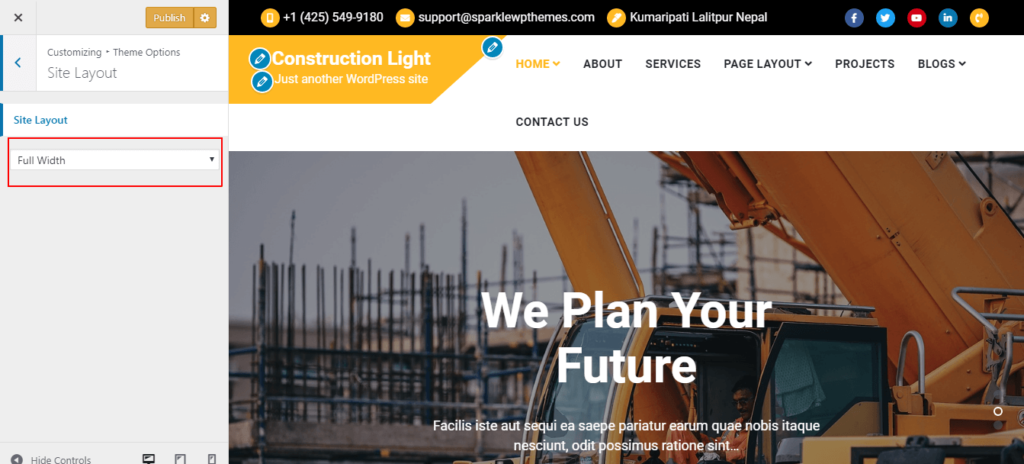
Theme Options > Site Layout.
Select Desired Site Layout Option.
Publish.
Breadcrumbs Setting
Display Sidebar settings
Powered by
BetterDocs