
Table of Contents
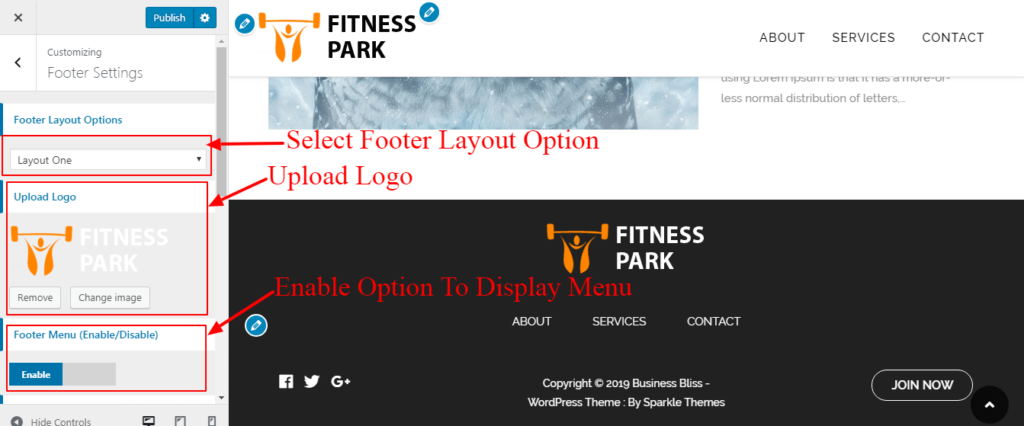
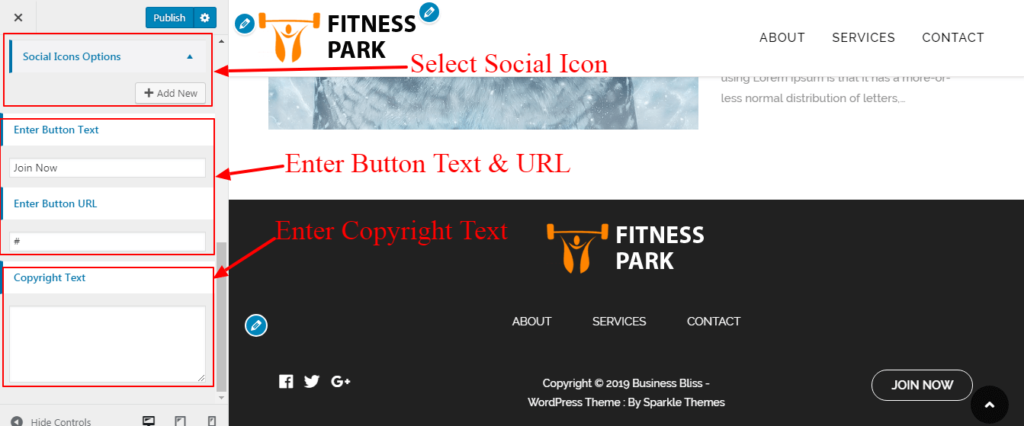
Footer Layout One #
- Log into your WordPress site and opens the Administration Panel.
- Go to Dashboard > Appearance > Customize
- Open > Footer Setting
- Select Footer Layout One.
- Upload Image.
- Select Social Icons.
- Enter Button Text.
- Enter Button URL.
- Enter Copyright Text.
- Publish.

Footer Layout Two #
- Log into your WordPress site and opens the Administration Panel.
- Go to Dashboard > Appearance > Widgets
- Add Widgets To Footer Areas.
- Go to Dashboard > Appearance > Customize
- Open > Footer Setting
- Choose Footer Layout Two.
- Enter Copyright Text.
- Publish.


