-
Log into your WordPress site and opens the Administration Panel.
-
Create Page with Title, Description and Featured Image.
-
Go to Dashboard > Appearance > Customize
-
Open > Homepage Setting
-
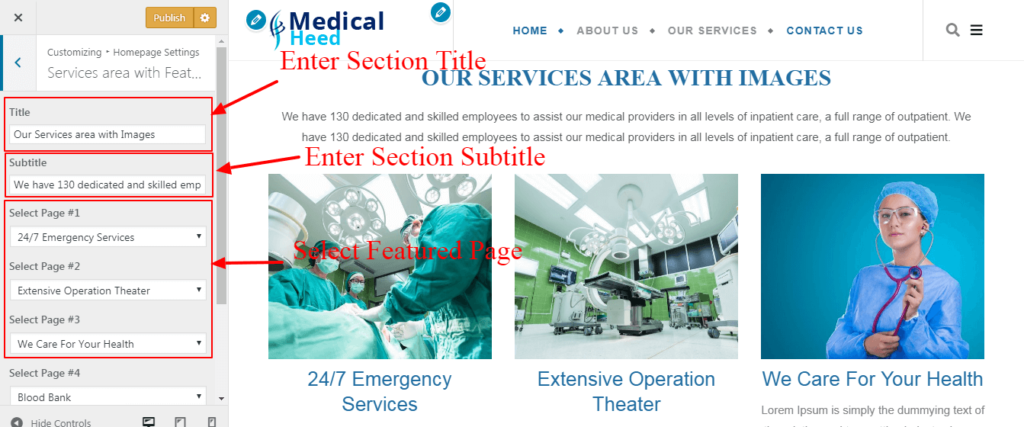
Homepage Setting > Services Area with Featured Image
-
Manage all Options as per required.
-
Publish.