
-
Log into your WordPress site and opens the Administration Panel.
-
Go to Dashboard > Appearance > Customize
-
Open > Frontpage Settings
-
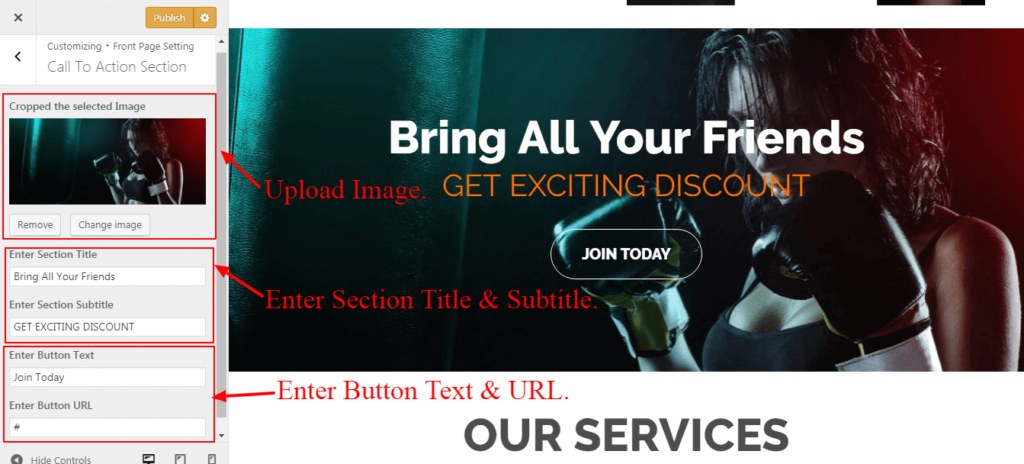
Frontpage Settings > Call To Action Section.
-
Upload Image.
-
Enter Section Title.
-
Enter Section Subtitle.
-
Enter Button Text.
-
Enter Button URL.
-
Publish.


