Table of Contents
There are two methods to install Online-eStore-Pro theme. You may either upload the zipped theme file using the WordPress theme installer (Recommended), or you can upload the unzipped theme folder via FTP (Advanced).
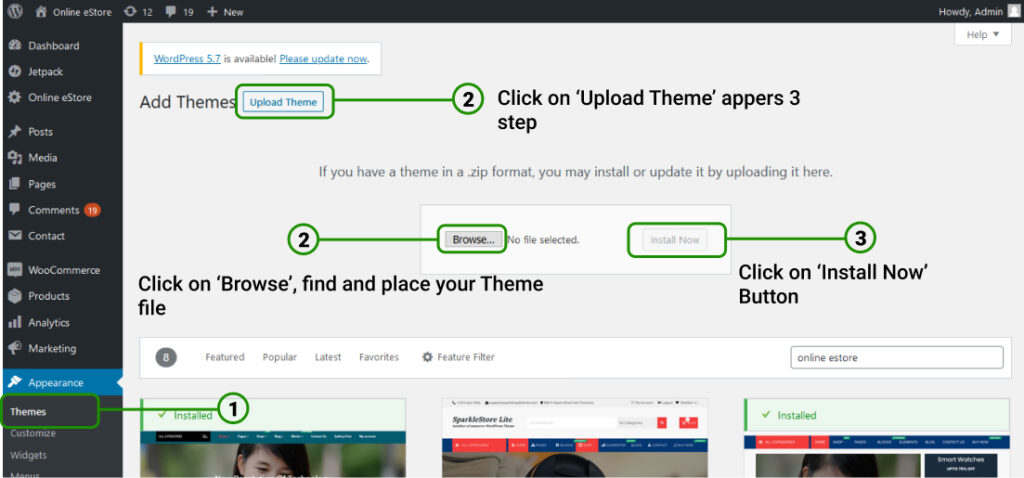
Method 1 ( Recommended): Install Using the WordPress Theme Installer #
- Login into your WordPress site and open the Administration Panel.
- Go to Appearance > Themes in the WordPress Dashboard.
- Click on the Add New button.
- Search for Online eStore.
- Select the Online eStore theme
- Click Install Now