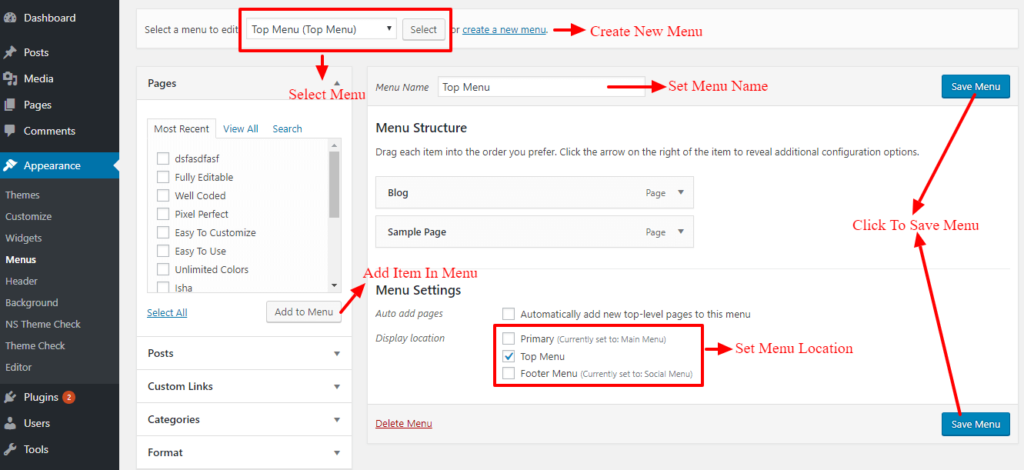
There are three menus defined in this theme, Top Menu, Bottom Menu and Primary Menu. Top menu is at the top of the header. Bottom Menu is at the bottom of the footer, at the same row as copyright text. And Primary Menu is at the header.
- Go to Appearance > Menus.
- If there are no menu created then create one. Click on create new menu, set name of the menu, add menu items, which can be either page, post, category, custom link, etc., set the location of the menu You can also drag and drop menu items and arrange them in hierarchy. Once you are done, click on Save Menu button.