Table of Contents
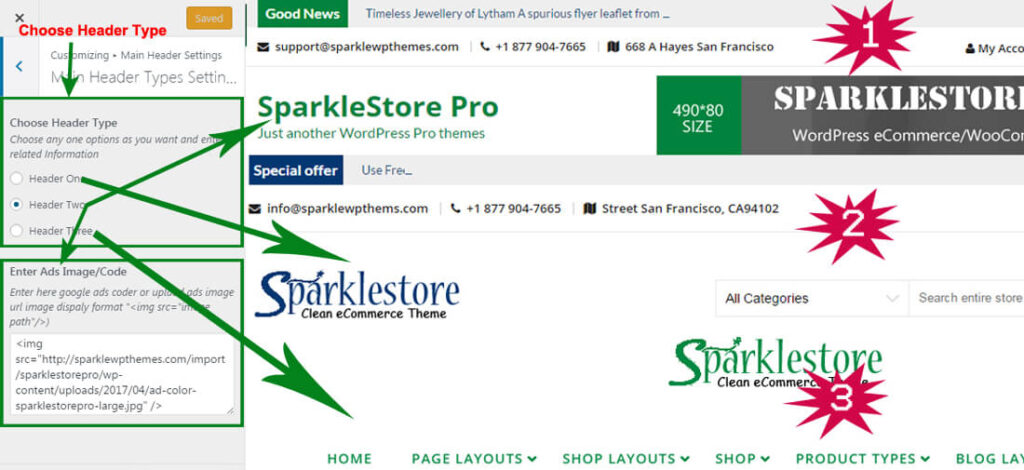
Configer Main Header Types Settings #
- Log into your WordPress site and opens the Administration Panel.
- Go to Dashboard > Appearance > Customize
- Open > Main Header Settings > Main Header Types Settings
- Main Header Types Settings > Choose any one options as you want and enter header type related Information
- Click Save & Publish
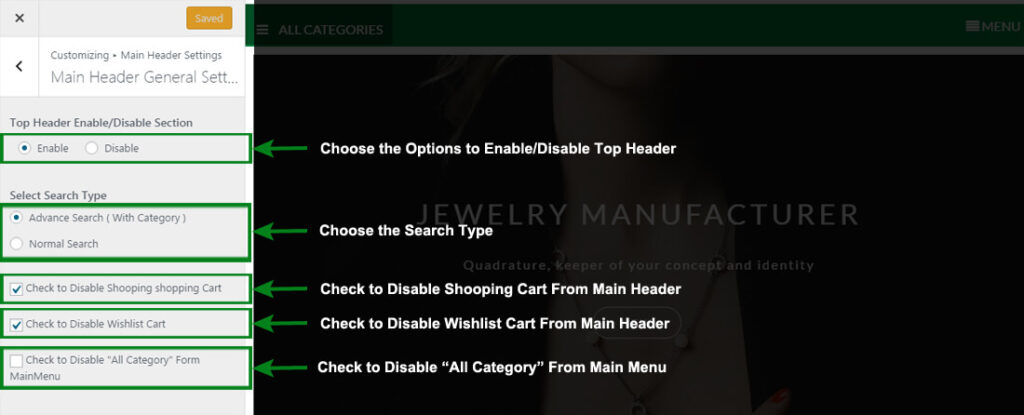
Configer Main Header General Settings #
- Log into your WordPress site and opens the Administration Panel.
- Go to Dashboard > Appearance > Customize
- Open > Main Header Settings > Main Header General Settins
- Main Header General Settins > Manage all the options per as you want.
- Click Save & Publish.