Table of Contents

Add New Slider #
- Login into your WordPress site and open the Administration Panel.
- First of all, create a Page for slider
- Add Page Title,Excerpt/Content and feature Image for slider in Page field.
- Click Save > Publish.
Configure Slider Section #
- Login into your WordPress site and open the Administration Panel.
- Go to Dashboard > Appearance > Customize
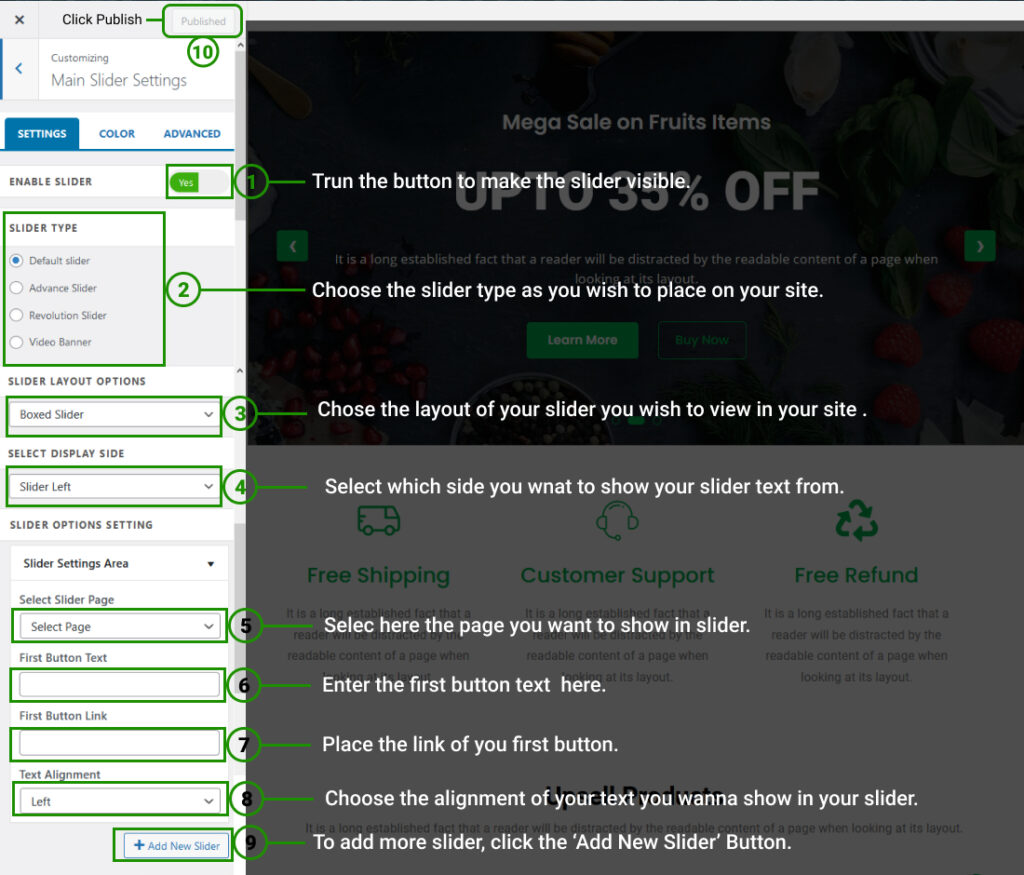
- Open > Main Slider Settings
- Main Slider Settings > Manage all Other Slider Settings/Options with (Slider Type & Slider Layout) Per as You Want.
- Click Save > Publish.