
-
Log into your WordPress site and opens the Administration Panel.
-
Create page with Title, Description and Featured Image.
-
Go to Dashboard > Appearance > Customize
-
Open > Homepage Settings
-
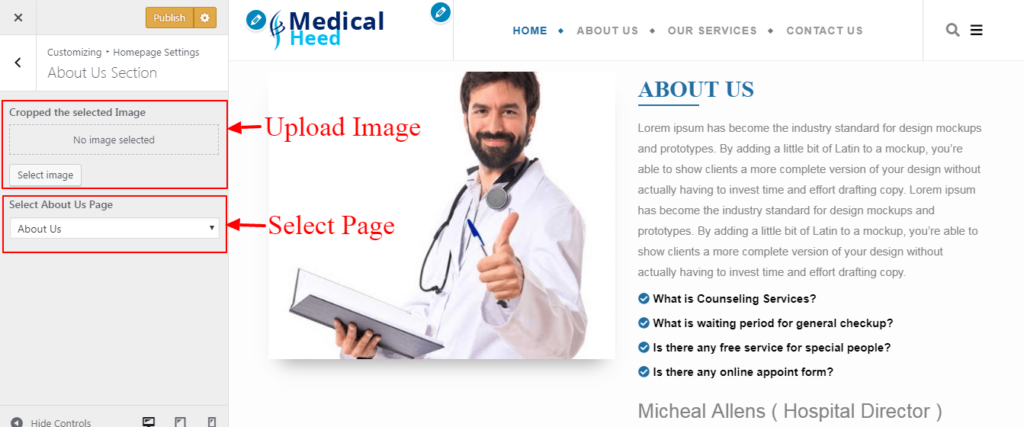
Homepage Settings > Upload Image. (Note: If you don’t upload image then page image will be displayed.)
-
Homepage Settings > Select Featured Page.
-
Manage all the options as per your need.
-
Publish.


