Table of Contents
- Log into your WordPress site and opens the Administration Panel.
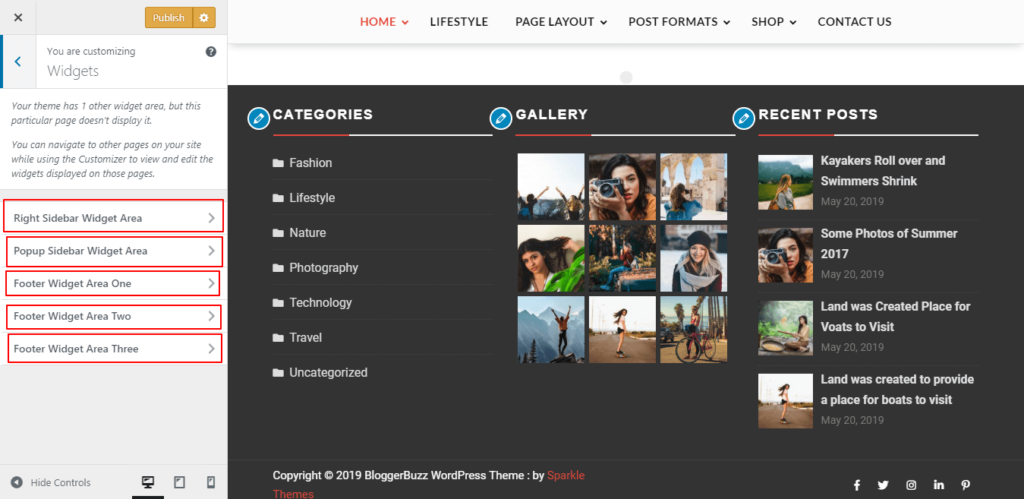
- Go to Dashboard > Appearance > Customize > Widgets.
- Add Widgets To The Given Widget Area As Per You Need.
- Click On Pulish.
Breadcrumbs Settings #
- Log into your WordPress site and opens the Administration Panel.
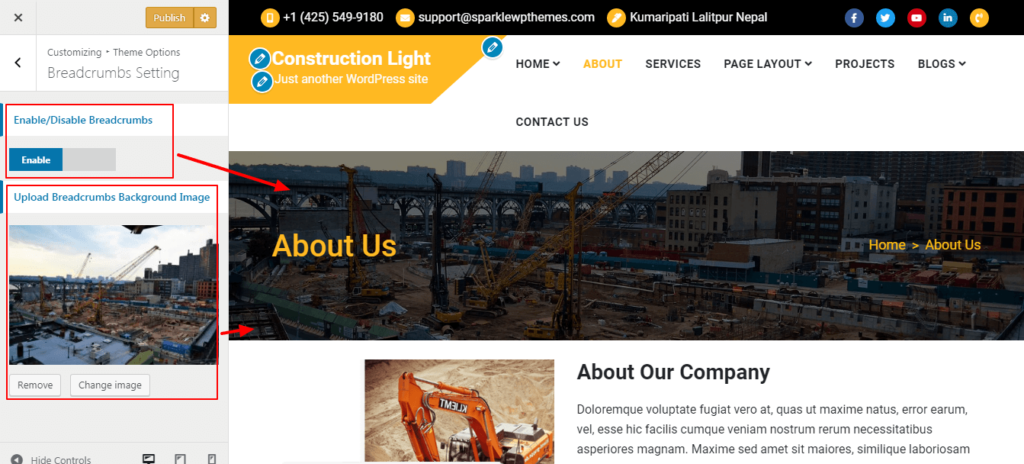
- Go to Dashboard > Appearance > Customize > Theme Options > Breadcrumbs Settings.
- Enable Option Breadcrumbs To Display.
- Select Breadcrumbs Background Type.
- For Breadcrumbs Background Image > Upload Image.
- Click On Pulish.