Table of Contents

Social Media Settings #

- Login into your WordPress site and open the Administration Panel.
- Go to Dashboard > Appearance > Customize
- Open > Header Builder > Social Media Settings
- Social Media Settings > Manage all the options for social media link per as your want.
- Click Save > Publish.

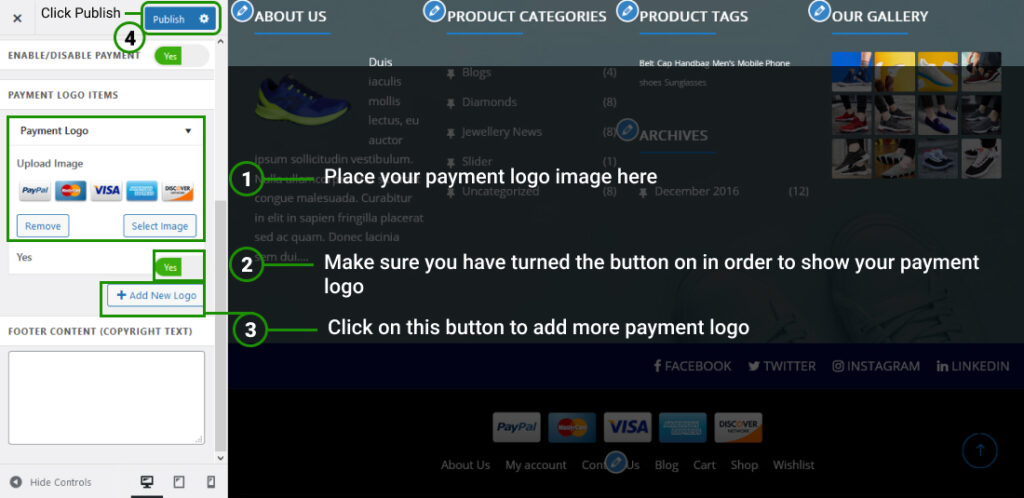
Payment Logo Images #

- Login into your WordPress site and open the Administration Panel.
- Go to Dashboard > Appearance > Customize > Footer Settings
- Payment Logo Images > Manage or Upload payment logo image per as your want.
- Click Save > Publish.
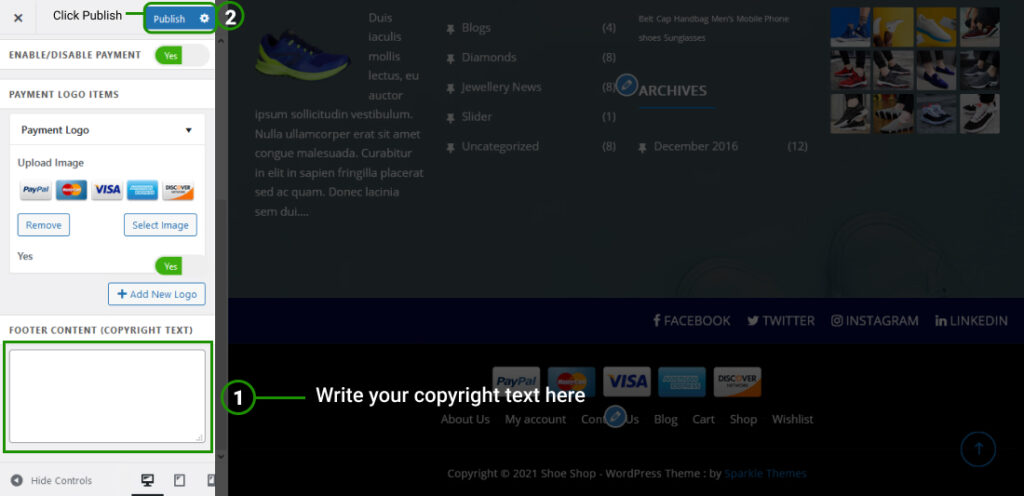
Copyright Message Area #

- Login into your WordPress site and open the Administration Panel.
- Go to Dashboard > Appearance > Customize > Footer Settings
- Footer Content (Copyright Text) > Enter the Copyright message per as your want.
- Click Save > Publish.