
-
Log into your WordPress site and opens the Administration Panel.
-
Create Page with Title, Description and Featured Image.
-
Go to Dashboard > Appearance > Customize
-
Open > Frontpage Setting
-
Frontpage Setting > Trainers Section
-
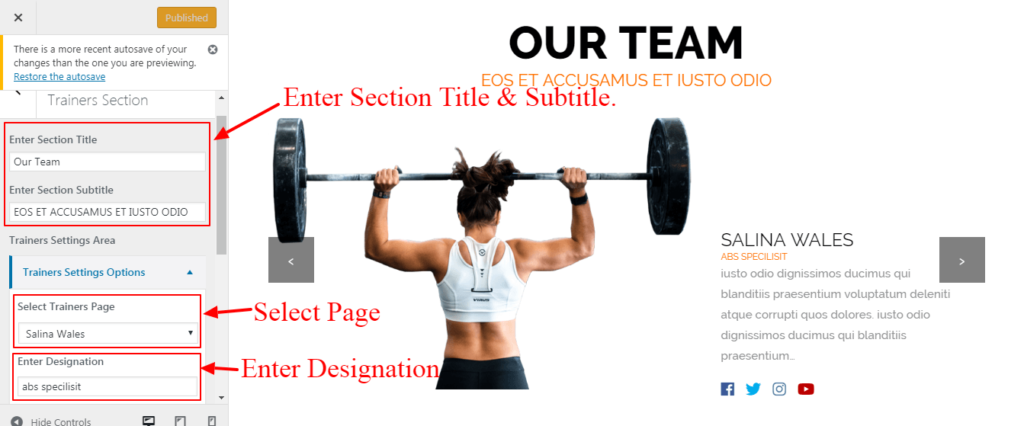
Enter Section Title.
-
Enter Section Subtitle.
-
Select Featured Image.
-
Enter Designation.
-
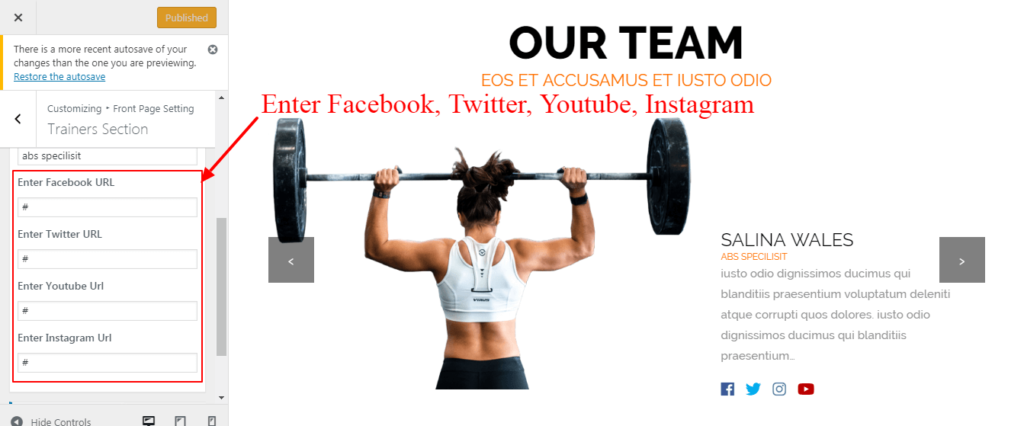
Enter Facebook URL.
-
Enter Twitter URL.
-
Enter Youtube URL.
-
Enter Instagram URL.
-
Publish.


