Table of Contents
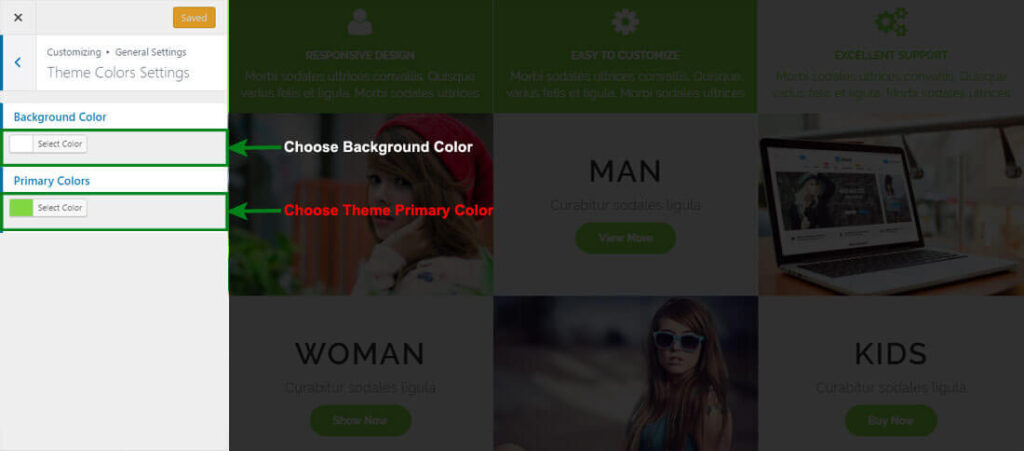
Configer Theme Colors Settings #
- Go to Dashboard > Appearance > > Appearance > Customize > General Settings
- Open > Customize > General Settings > Themes Colors Settings
- Manage Theme Primary Color, Header title colro & Background Colors Options per as you choice
- Click on Button (Save & Publish)