
Table of Contents

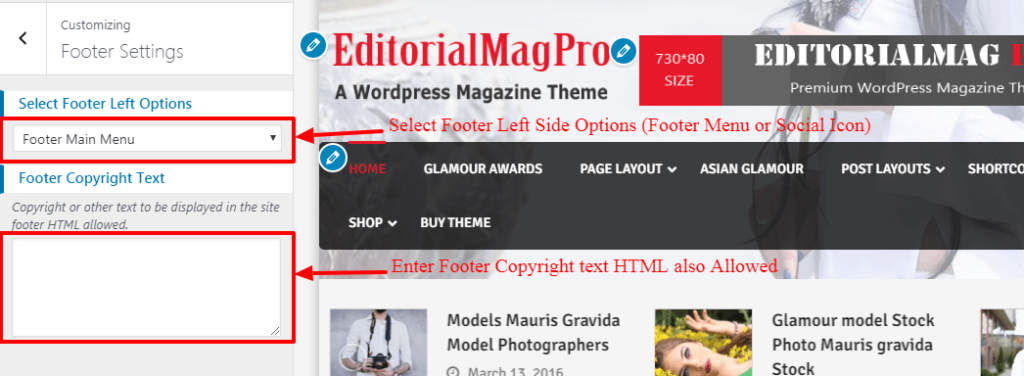
Configer Footer Settings #
- Log into your WordPress site and opens the Administration Panel.
- Go to Dashboard > Appearance > Customize
- Open > Footer settings > Manage all the options per as your want.
- Click Save > Publish.
We are here to help you ...
< 1 min read
Powered by BetterDocs


